







Overview
A simple, educational and fun tool to introduce students to animation in SVT, arts or technology.
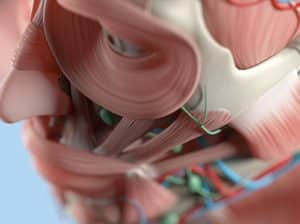
The Hue Animation Studio allows students to easily create their own stop-motion videos, based on scenes constructed in class (dissections, experiments, models, etc.).
Easy to use, it’s perfect for empowering students to take charge of their own learning and creatively showcasing their work.
Usable across several disciplines: biology, physics and chemistry, visual arts, and technology, this tool promotes both memorization and scientific expression.
A complete, simple and intuitive kit
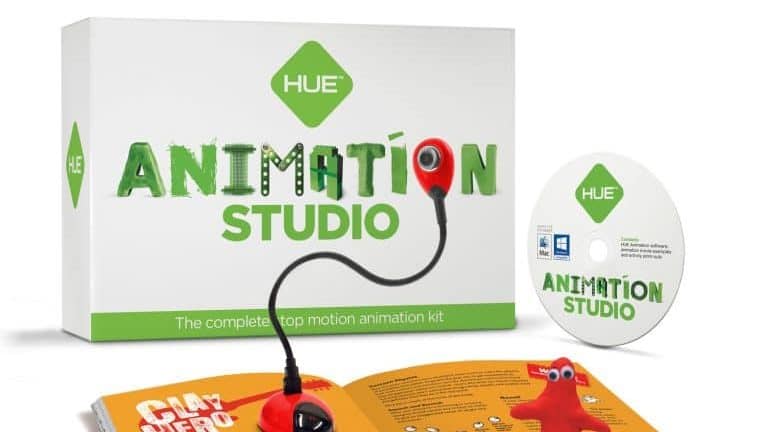
Order the Hue Animation StudioThe Studio includes a Hue HD USB camera, Windows/Mac compatible Hue Animation Studio animation software, and a clear user guide. Once installed, simply position the objects to be filmed and capture the images one by one.
A simple interface then allows you to assemble the takes and create a smooth video in just a few clicks. Students can add titles, narration, or a soundtrack.
What makes it unique
- A compact and stylish HUE HD camera with a fold-out design
- A HUE Animation Book
- Sound effects to import or record yourself
- A group or frame-by-frame deletion/copy of images
- Adjustable reading frequency
- An effect to display a transparent image of the last photo you took
Very easy to use, the animation is done in 5 easy steps:
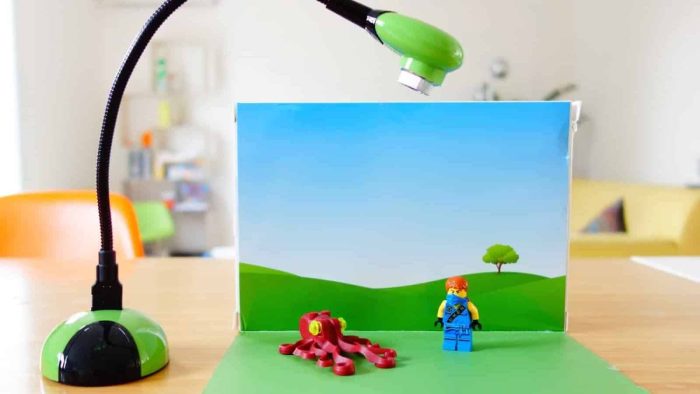
- Set up. Install the animation software, connect the camera, create your scene.
- Taking pictures. Take a photo every time you move your model.
- Added sound. Record sound effects or import audio tracks.
- Editing images. Add text and special effects.
- Your animation is complete! Export your animated video and share it on Creatubbles or YouTube.
Focus on the features
The HUE Animation software interface has two windows: the left window allows you to view your animation as it progresses, while the right window displays both your camera image and the last photo you took in transparency.
This effect can be enabled or disabled at any time.
If you’re animating an object on a blue/green background, you can then import your photos, insert them as backgrounds, and integrate them into your animation.
The “chronocinematography” function, also called time-lapse, allows you to take a succession of photos at regular intervals to study a movement or create a time-lapse video of a long process.

A fun tool for learning differently
Animation is a cinematic art form that involves different skills. Children must create a story and its characters, design and build sets, compose soundtracks or even select appropriate music to reinforce the film’s narrative.
Children need to solve problems, make decisions, reflect, evaluate and improve their projects. They have fun preparing their animated film, often without realizing that they are actually working hard, learning new skills, applying new techniques and sharing new ideas.
